
Video
‘Mission: Possible, Step Wisely’ Video

The mission is simple if your staff should accept it: Step Wisely on snow and ice.
Help prevent and lessen winter slip, trip and fall incidents by using the below Step Wisely program video to engage employees with injury prevention.
The video offers three simple steps people can take to lessen the chances of slipping and falling on snow and ice:
- Secure proper gear (wear appropriate footwear)
- Scope out surroundings (check for and us cleared paths)
- Proceed with caution (take short steps and keep hands free for balance)
The video is a great way to kick off the Step Wisely campaign or re-engage staff midway through it.
Email to Staff: 2 Methods
1. Provide Hyperlink to Video
This allows you to provide a link to the animated video to employees that takes them to view the animated video online. You could post the link on the entity’s intranet site or distribute in emails, for example.
Suggestion: For the most impact, hyperlink a screen shot image of the video’s title screen to increase the visual appeal.
- Follow steps 1 through 3 above for capturing the embed code.
- Paste the embed code into a text file.
- Delete extraneous text as shown here: <iframe src=”https://player.vimeo.com/video/111111111” width=”640” height=”360” frameborder=”0” allowfullscreen></iframe>
- The remaining text is the URL (link) for the video at the MCIT online player. Use the link to connect employees to the video.
More Tips to Make the Link Enticing
2. Embed in Email
The email service an entity uses will determine how to embed a video to play within the body of the message. Most members use Microsoft Outlook. Only Outlook 365 allows for embedded videos to play within an email message.
Stream Videos on Intranet Site
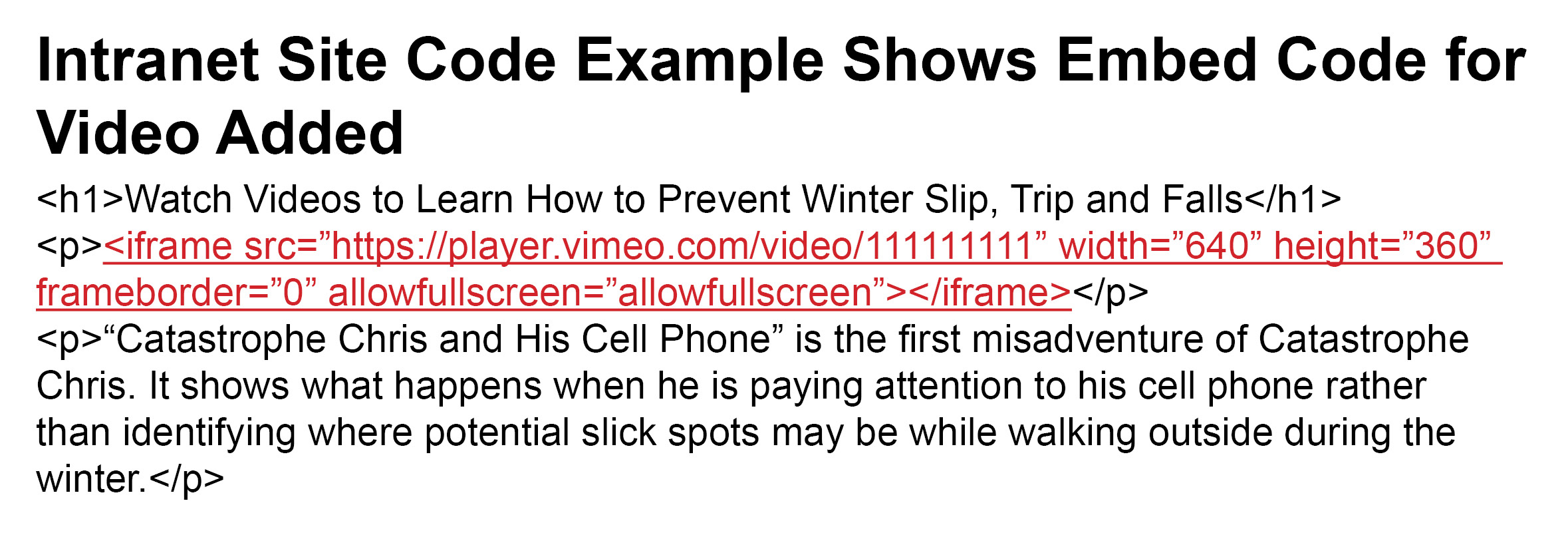
You need to capture the embed code for each video to stream them on your intranet site. Work with your intranet manager to place the embed code.
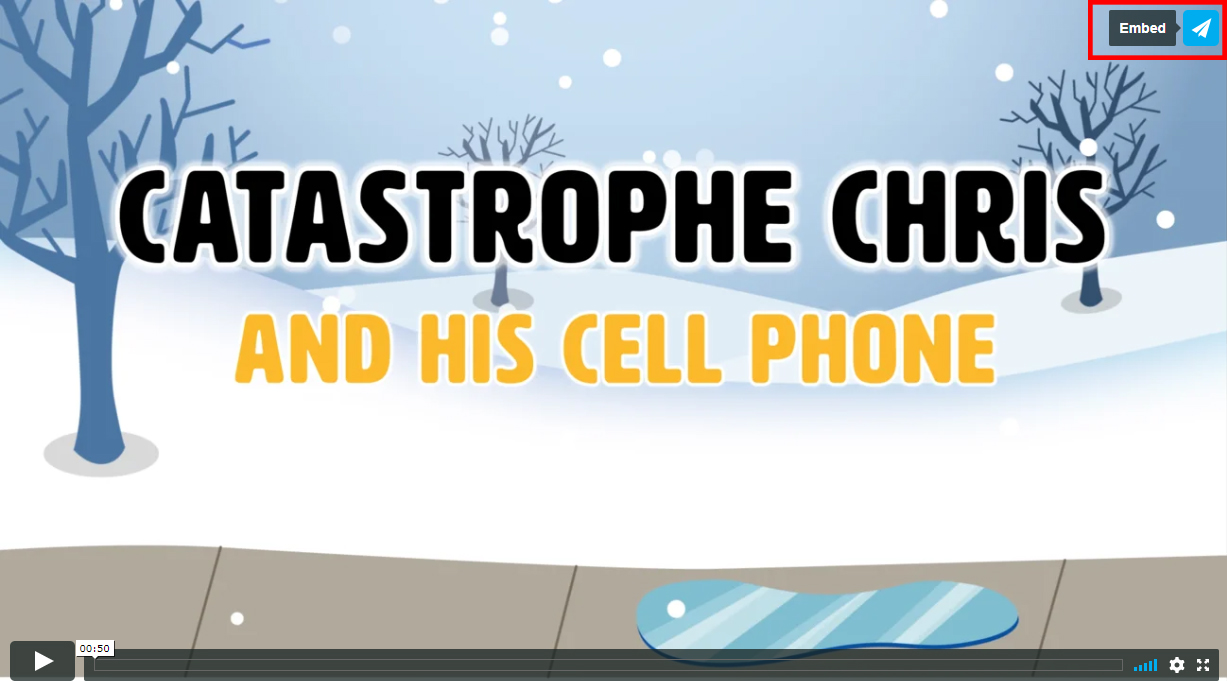
- Locate the video you want to add to your intranet site . Click on the paper airplane icon in the upper right corner of the video (see above).
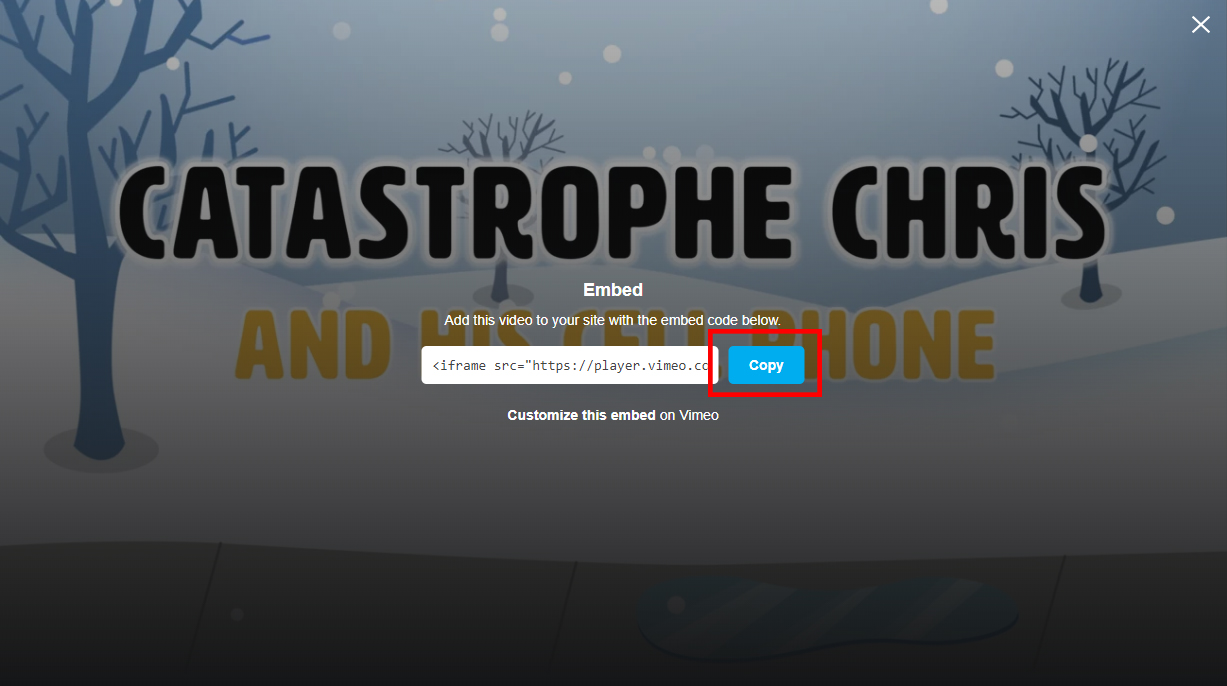
- Click the blue “Copy” box to capture the embed code (see above).
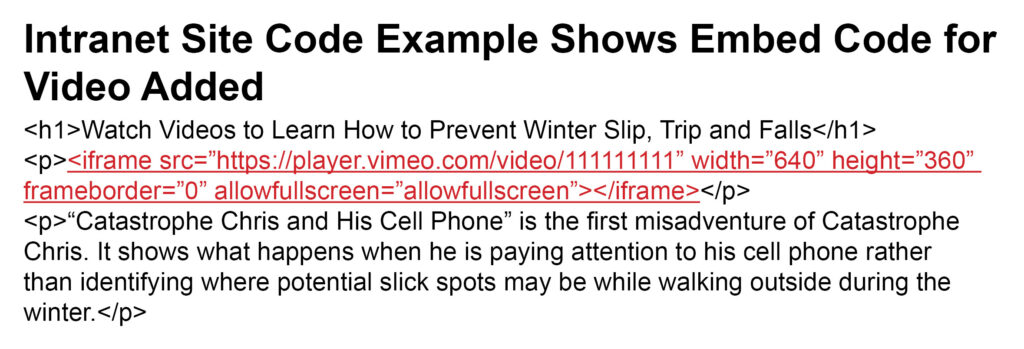
- Paste the embed code into the code of the intranet page where you want the video to appear (see above). The embed code looks something like this: <iframe src=”https://player.vimeo.com/video/111111111” width=”640” height=”360” frameborder=”0” allowfullscreen></iframe>

The Step Wisely Program
MCIT’s Step Wisely program helps make slip, trip and fall prevention efforts easy for its members. Slip, trip and fall incidents are particularly prevalent during Minnesota winters. Providing your employees and the public information to help them make safer behavior choices could keep your employees from being injured and save your organization significant costs, time and grief related to those injuries.
Topics